
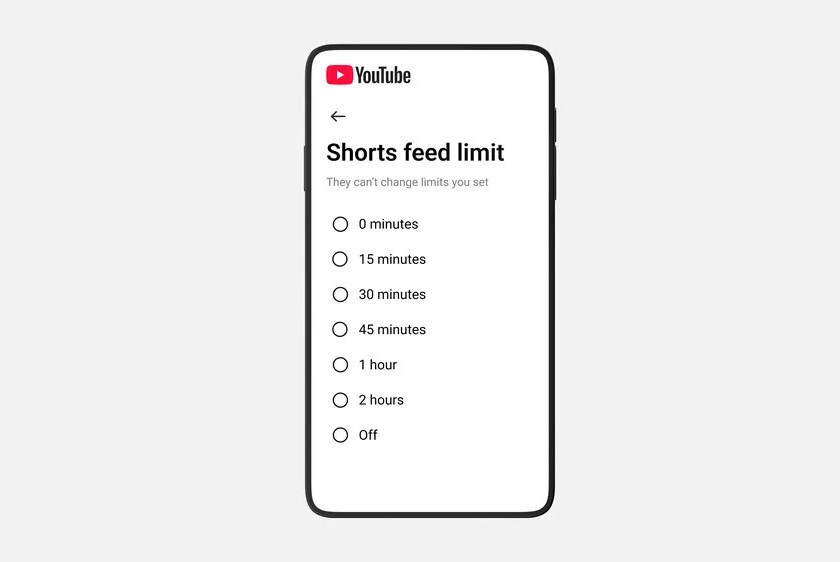
Every YouTube user now has the ability to set their Shorts viewing time limit to zero minutes.
Every YouTube user now has the ability to set their Shorts viewing time limit to zero minutes.


YouTube’s time management features now include the option to set a zero-minute limit for Shorts, effectively eliminating them from your app on both Android and iOS. This feature is an enhancement to the Shorts timer that YouTube announced earlier in October; the minimum prior limit was 15 minutes.
This capability was broadened in January to enable parents to regulate how long their children spend watching Shorts, with the zero-minute option labeled as “coming soon.” As stated by YouTube spokesperson Makenzie Spiller, the zero timer option is now “available for all parents and is currently being deployed to all users,” including those with standard adult accounts.
For anyone wishing to reduce scrolling time, this can be a useful feature, regardless of age. Once you reach the set limit, the Shorts tab will not display any videos, only a notice indicating that you have “reached your Shorts feed limit.” Our trials indicate that reaching the time cap also removes Shorts from the Home screen, so by setting the limit to zero, you can exclude Shorts completely if desired. To activate the timer, navigate to the settings within the YouTube app, select “time management,” toggle on the Shorts feed limit, and set a desired duration.